 Chrono Mock
Run a Windows app at any date - without touching the system clock
Set one application's clock to next year, freeze it, or speed it up so a 30-day trial expires while you make coffee. The rest of the machine keeps the real time - your domain logon, your certificates and every other program carry on as normal.
Then it tells you whether the substitution actually worked.
Free and open source, GPL-3.0 Portable or installed No administrator rights to run Never talks to the internet
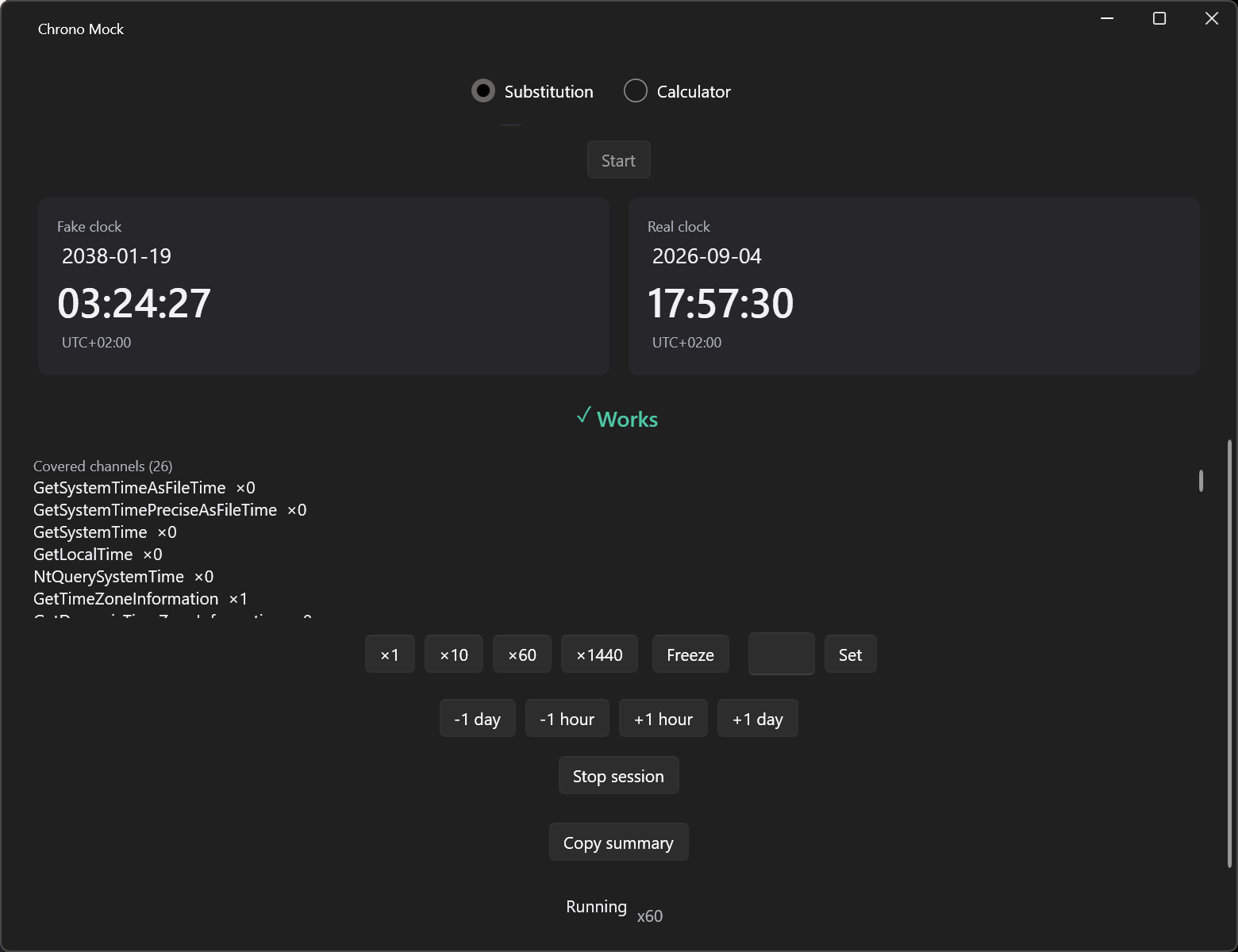
What a session looks like
23:59:50
18:12:33
Why this exists
Testing anything date-dependent means moving time. Both usual options are bad.
Licence expiry, trial periods, subscription renewals, certificate validity, token lifetimes, month-end and year-end reports, interest accrual, reminders.
Option 1 - change the system clock
It breaks domain logon and Kerberos, invalidates TLS certificates so the browser stops working, confuses Windows Update, and makes every other application on the machine write wrong timestamps. On a domain-joined machine group policy usually blocks the change or reverts it minutes later, so the test is not even repeatable.
Option 2 - wait
Which means: do not test it. So the date-dependent cases get skipped, and "the licence never expires" ships to the customer.
What it does
One process moves through time. Everything else on the machine does not.
Any moment
A specific date and time, or a relative one - +30 days, -1 year.
Flowing, frozen or accelerated
Normal speed, a held clock, or a whole-number multiplier. x1440 turns a day
into a minute.
Its own time zone
A fixed offset for that process only, while the system zone stays exactly where it was.
Child processes come along
Installers and launchers spawn children. Without that, the test covers half of what ran.
Jump mid-session
Forward or backward - including the backward jump a laptop makes after resyncing with a time server.
Electron and Chromium too
Through a different mechanism, because their clock lives in a sandboxed renderer where injection does not reach.
The part nobody else does
How do you know it worked?
With every other tool you do not. The application starts, shows some date, and you assume. But it can read the clock through a channel the tool never intercepted - from a server, from a database, through a runtime layer - and then "the test passed" means nothing at all.
- →A verdict before the real test begins: works / works partially / does not work
- →Which of the 44 time channels were covered, and how many times the application queried each
- →Which channels were not - stated plainly, never omitted
- →Warnings with consequences attached: "this application reads time from the network - local substitution may not be enough"
Two minutes with it
A window for exploring, a command line for CI. The same engine behind both.
# Run an application as if it were the last second of 2027
chrono run "C:\apps\test.exe" --at 2027-12-31T23:59:59

# Watch a 30-day trial expire while you make coffee: x1440 is a day a minute
chrono run "C:\apps\test.exe" --mode x1440

# Use a named scenario instead of a date, and write the evidence to a file
chrono run "C:\apps\test.exe" --preset year-rollover --report session.txt
The calculator answers the other half of date testing - which date to use:
$ chrono calc --preset year-2038 --zone +00:00
Chrono Mock - date calculator
  preset:   year-2038 - 2038 boundary
  explains: Does the app survive the 32-bit Unix time boundary (2038-01-19T03:14:07Z)?
  base:    2038-01-19T03:14:07
  result:  2038-01-19T03:14:07
  formats:
    ISO date      2038-01-19
    ISO datetime  2038-01-19T03:14:07+00:00
    US            01/19/2038
    PL            19.01.2038
    epoch (s)     2147483647
    epoch (ms)    2147483647000
    FILETIME      137919572470000000
    RFC 1123      Tue, 19 Jan 2038 03:14:07 GMT
  ...
  what this date lands on:
    at or past the 2038-01-19T03:14:07Z 32-bit time_t limit (Y2038)
Compared with what you are probably using
Like RunAsDate, with the parts that were missing
RunAsDate intercepts five wall-clock functions and does that well. Here is where the two differ - and the full page also says where RunAsDate is still the better pick.
| RunAsDate | Chrono Mock | |
|---|---|---|
| Runs one app at a fake date | yes | yes |
| Time channels intercepted | 5 | 44 (30 shifted, 14 counted) |
| Speed the clock up | no | yes |
| Independent time zone | not documented | yes |
| Follows child processes | not documented | yes |
| Tells you whether it worked | no | yes, per channel |
| Source available | freeware, closed | GPL-3.0 |
Get it
Unzip anywhere and run, or install the signed .msi for every account on the
machine. Running needs no administrator rights, and the zips write nothing to the registry.